Seedance 2.5 AI Video Generator
Most AI video models give you 10 seconds. Seedance 2.5 gives you 30 seconds in native 4K, with audio, in one shot.
Try Seedance 2.5 FreeHow to generate video with Seedance 2.5
Three steps from an idea to a 30-second 4K video.
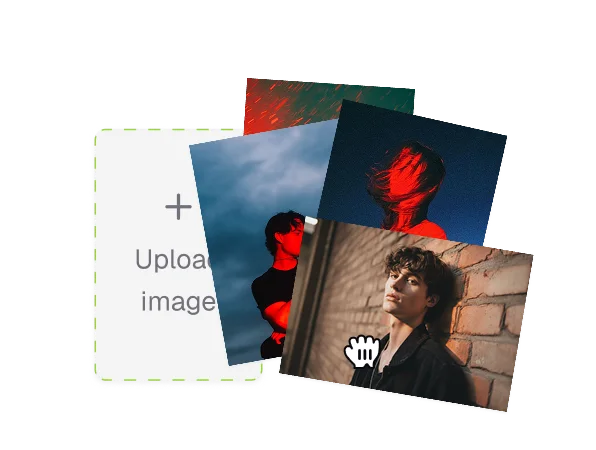
Choose your mode
Open Toty and pick Seedance 2.5 from the model menu. Choose text-to-video or image-to-video depending on what you're starting from: a written prompt, a photo, or both.
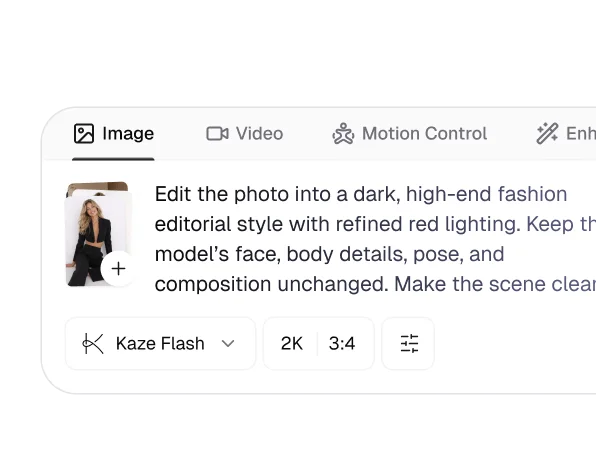
Write your prompt and load references
Describe your scene with specific detail: subject, camera motion, lighting, and pacing. Upload up to 50 reference assets, including character images, style clips, or audio files, for precise creative control.
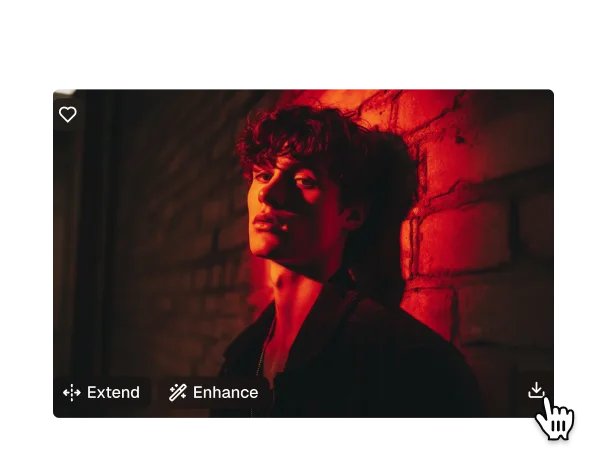
Generate, edit, and export
Run the generation. Use region-level editing to fix a specific element without regenerating the whole clip. Export as an MP4 with native audio sync.
Seedance 2.5 AI video generator features
Native 4K. 30 seconds in one shot. 50 reference inputs. This is a different class of AI video generator.
Native 4K in a single 30-second pass
Most AI video generators cap length at 5 to 10 seconds. Seedance 2.5 creates a full 30-second clip at up to 4K resolution in one generation, keeping characters, lighting, and motion perfectly consistent from the first frame to the last. No stitching, no post-processing workarounds.
Start nowUp to 50 multimodal reference inputs
Other text-to-video and image-to-video tools limit you to one or two references. Seedance 2.5 accepts up to 50 inputs, including character photos, style clips, audio files, and 3D blocking meshes, and generates one coherent, on-brief video from all of them.
Start nowRegion-level editing
When something goes wrong in part of a generated clip, most AI video tools force a full regeneration. Seedance 2.5 lets you describe the fix and re-render only that region while everything else stays untouched. Fix a face, swap a background, or correct a product label in seconds.
Start nowNative audio sync
Seedance 2.5 generates audio alongside the video, so footsteps, ambience, and material sounds line up naturally with the on-screen action. No separate audio pass, no manual alignment, no extra tools.
Start nowSeedance 2.5 AI video examples
 Trusted by 1 million+ creators
 A community of over 1 million users
I generated a 30-second brand video in one shoot. The character stayed consistent across the whole clip. I couldn't believe I didn't have to stitch anything.

Tried it on a client pitch on a whim. The 4K output was sharper than I expected from a first gen - sent it straight to the client without any edits.

One of my first clips had a small issue on a character's face. Fixed it with region editing in about 20 seconds. Didn't have to touch anything else.

The native 4K output actually holds at full resolution. I made a product launch video and the client thought it was live-action footage.

I've tried every AI video tool out there. Seedance 2.5 on Toty is the first one where the audio genuinely feels part of the video, not layered on top.
We ran 40 ad variations in a week with Seedance 2.5. The prompt accuracy meant most were usable on the first generation. Our output rate tripled.
FAQ
Yes. Seedance 2.5 is available on Toty and includes free credits. You can start generating 30-second 4K videos right away, with no waitlist and no credit card.
Seedance 2.5 stands out by generating a full 30-second clip in a single pass at up to 4K, while most models cap out at 5 to 10 seconds and require stitching. It also accepts up to 50 multimodal references and supports region-level editing and native audio sync.
Generation time varies with resolution, duration, and the number of reference inputs, but most clips finish within a few minutes. Because it renders the full 30 seconds in one pass, you avoid the back-and-forth of stitching multiple shorter generations together.
Yes. Seedance 2.5 generates audio together with the video, so footsteps, ambience, and material noise sync to the on-screen action. There's no separate audio step and no manual alignment.
Seedance 2.5 exports MP4 video at up to 4K resolution with native audio sync, ready to download and use in your projects.
Explore more AI features
See what is new in Toty