AI Vintage Photo Filter Make a Photo Look Decades Old
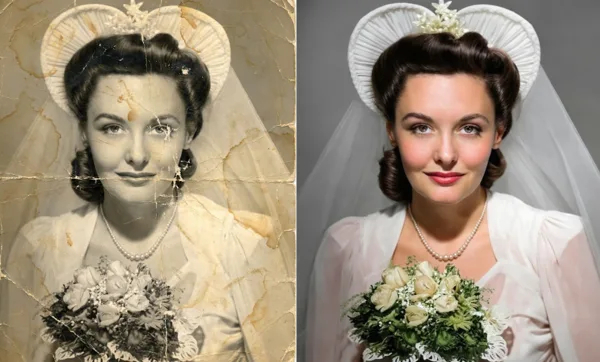
Upload a photo and give it the look of another decade, from 1920s sepia to an instant-camera print.
Sign in to generate. Failed runs are free.
Choose a decade
- 1920s sepia
- 1950s colour
- 1970s film
- 1980s snapshot
- Instant print
- 1 Upload a photo Pick a well-lit photo where the face is clear.
- 2 Choose a decade Tap one choice: 1920s sepia, 1950s colour, 1970s film, 1980s snapshot or Instant print. No prompt to write.
- 3 Generate and download Sign in, press Generate, and download the result, usually within a minute.
What people use it for
- A themed party invitation
- A nostalgic look for a photo album
- Period visuals for a school project
You can also open the studio to switch models or keep editing the same photo. Open the studio
FAQ
Upload a photo, tap one choice under "Choose a decade" (1920s sepia, 1950s colour, 1970s film, 1980s snapshot or Instant print), then press Generate. You do not need to write a prompt.
New accounts get free credits when they sign in, with no card needed, so you can try it first. The button shows the credits each run uses before you start, and failed runs are not charged.
Every choice tells the model to keep the person's face and identity and change only this one thing. How well that holds depends on the photo: a front-facing, well-lit picture with nothing covering the face works best. If a result is off, try another photo or another choice.
Yes. After choosing a photo, tap "Advanced: write my own prompt". It starts from the selected choice, and you can edit that text or replace it.
One person, facing the camera or close to it, with a clear face and even light. JPEG, PNG and WebP are supported.
Only use photos of yourself or of people who have agreed. Do not use the tool to impersonate anyone or to make content that would embarrass them. The Acceptable Use Policy has the details.
Usually between ten seconds and a minute, depending on the model and how busy it is. You can download the result when it is done.
Keep exploring
New models and popular tools, one click away.